The problem: your site was designed for human eyes
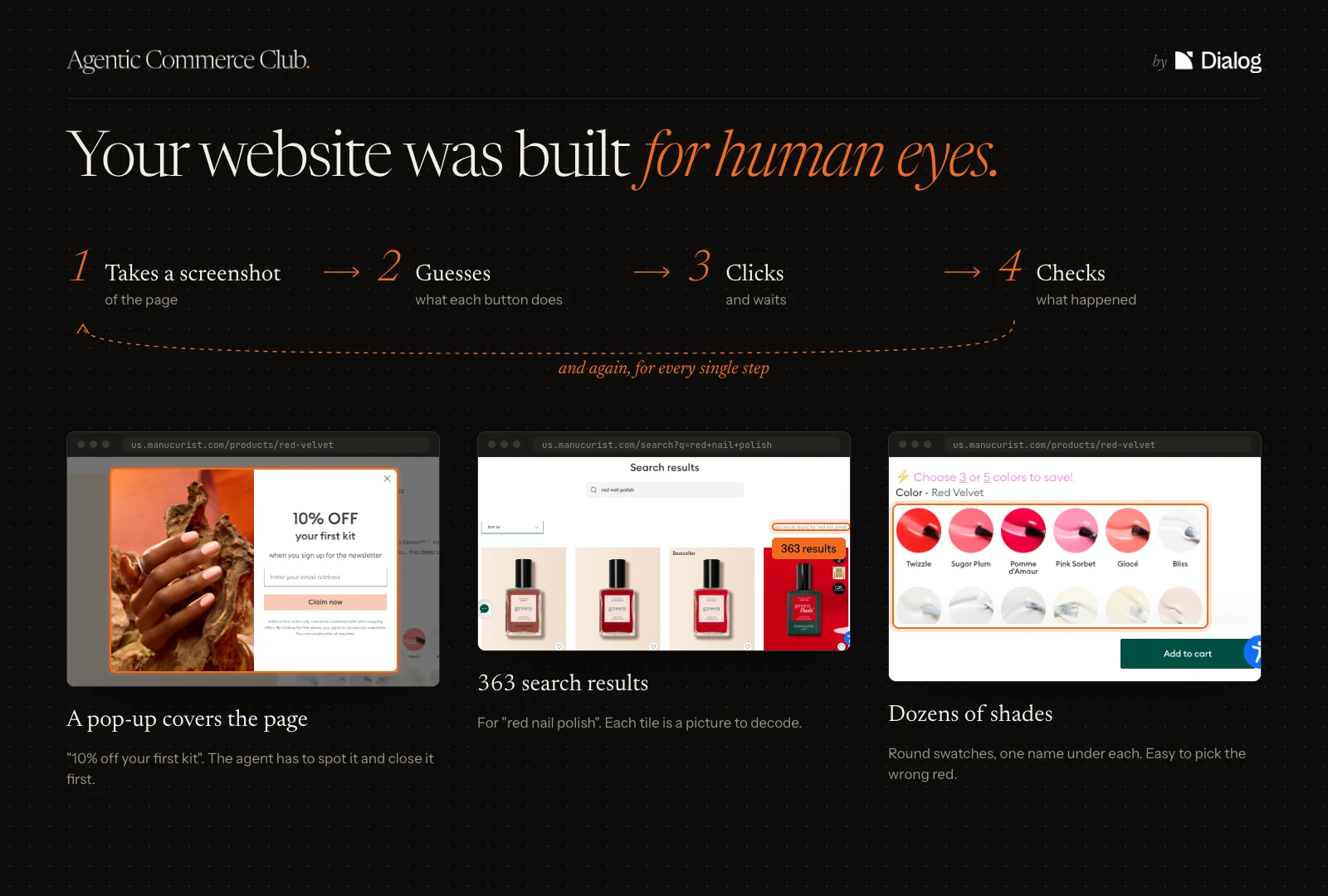
An agent does not see a page the way you do. It feels its way forward:
- it takes a screenshot of the page;
- it guesses: “that circle with a magnifying glass is probably the search”;
- it clicks, waits, checks what happened, and starts again.
On Manucurist, it runs into a “10% off your first kit” popup, then 363 results for “red nail polish”, then dozens of colour swatches. Every step is a chance to get it wrong.
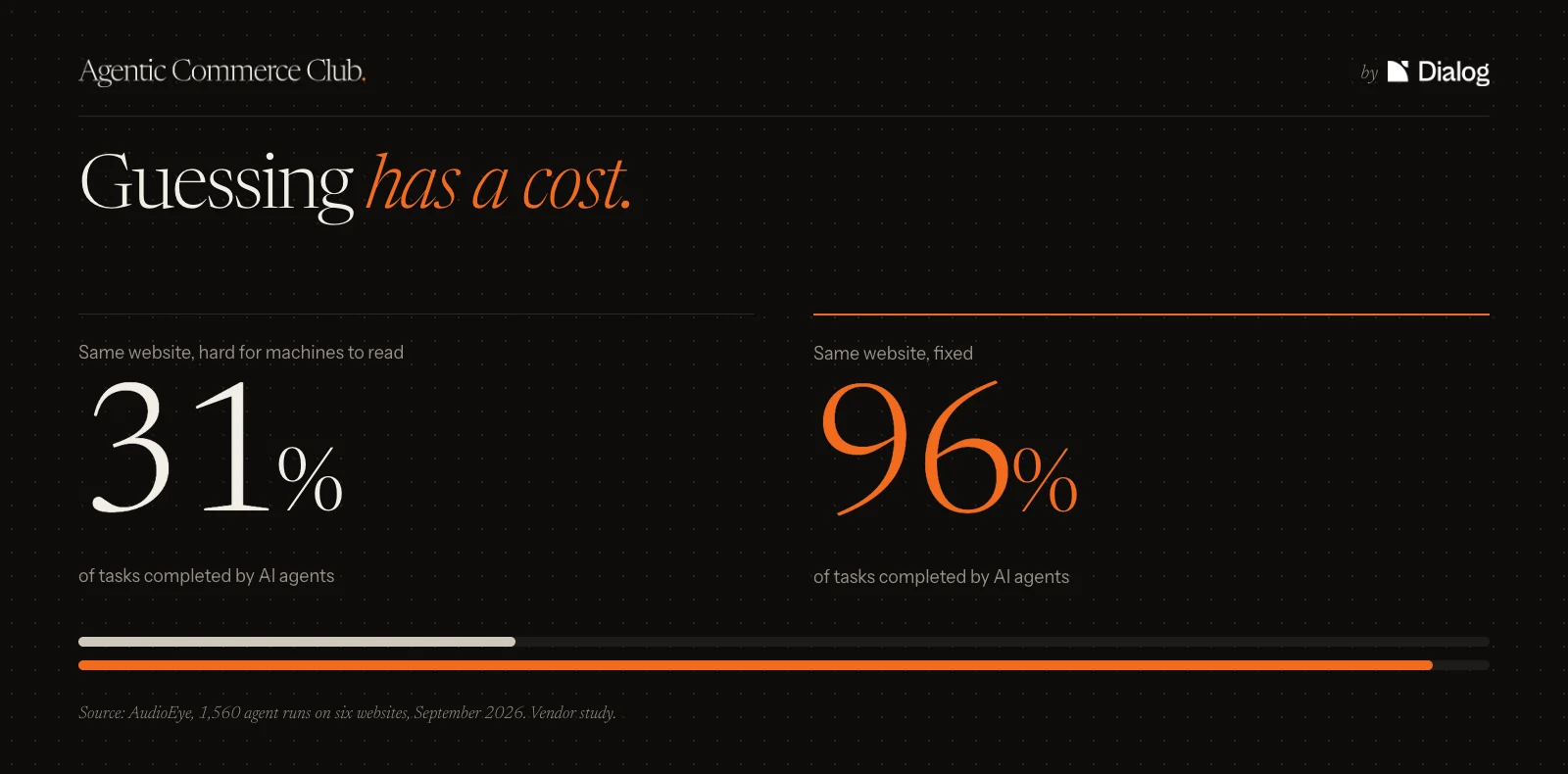
And that costs sales. AudioEye, a maker of accessibility tools, had AI agents perform simple tasks on six sites. On a site that is hard for them to read, they complete only 31% of them. On the same site, once it has been made machine-readable, 96%.
The solution: WebMCP, a map of your site for agents
WebMCP gives the agent a map of your site instead of leaving it to guess. In practice:
- Your site publishes the map: the list of actions an agent can take, each described in a few words (search for a product, ask for advice, add to cart, place an order).
- The agent reads the map instead of looking at the page. No more screenshots, no more guesswork.
- It picks an action, and the site answers in plain text: the product, the price, the availability, the advice.
Who is behind it? Google and Microsoft proposed WebMCP. Chrome has been officially testing it since this summer, and ChatGPT has been able to use it since 25 August, in the built-in browser of its desktop app. On 5 August, Shopify added a map of 11 actions to every store running a standard theme, without asking merchants for anything.
Where do things stand? Chrome is testing WebMCP but has not turned it on for everyone yet, and Safari and Firefox do not support it. That makes this exactly the right time to look at what your map contains, before agents show up in numbers.
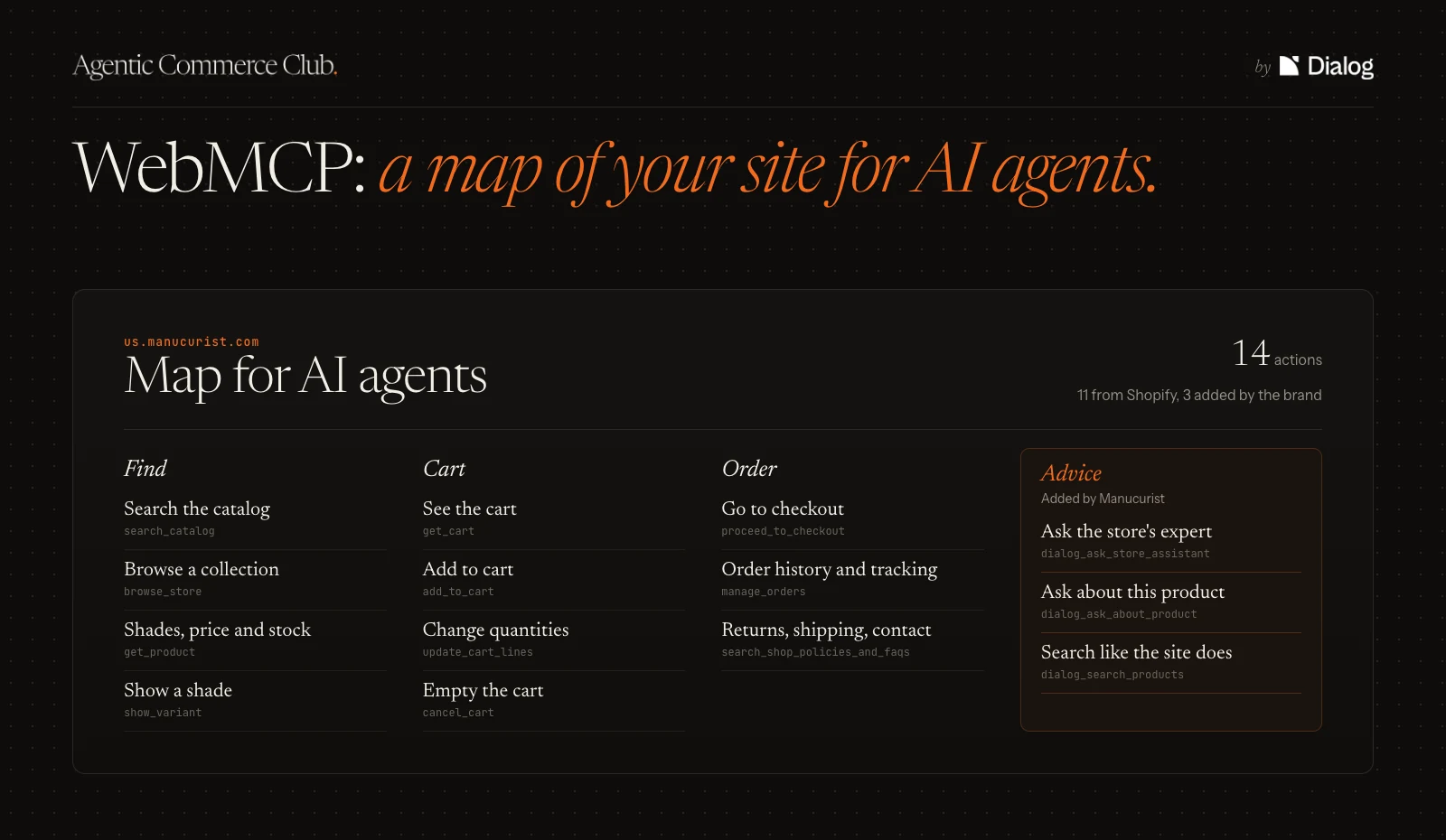
Here is the actual map that us.manucurist.com gives agents today. It combines two sources:
- 11 actions added by Shopify, to find a product, manage the cart and check out;
- 3 advice actions added with Dialog, to ask a question about a product or request a recommendation.
The agent sees everything on the same map, without knowing who added what. It is the agent that picks the action that best fits the request: Shopify search to find a specific product, Dialog advice for a real question.
A purchase at Manucurist, without and with WebMCP
Here is the same purchase seen two ways. On the left, what an agent has to do when all it can do is look at the page. On the right, the action it picks on the map, and what the site answers.
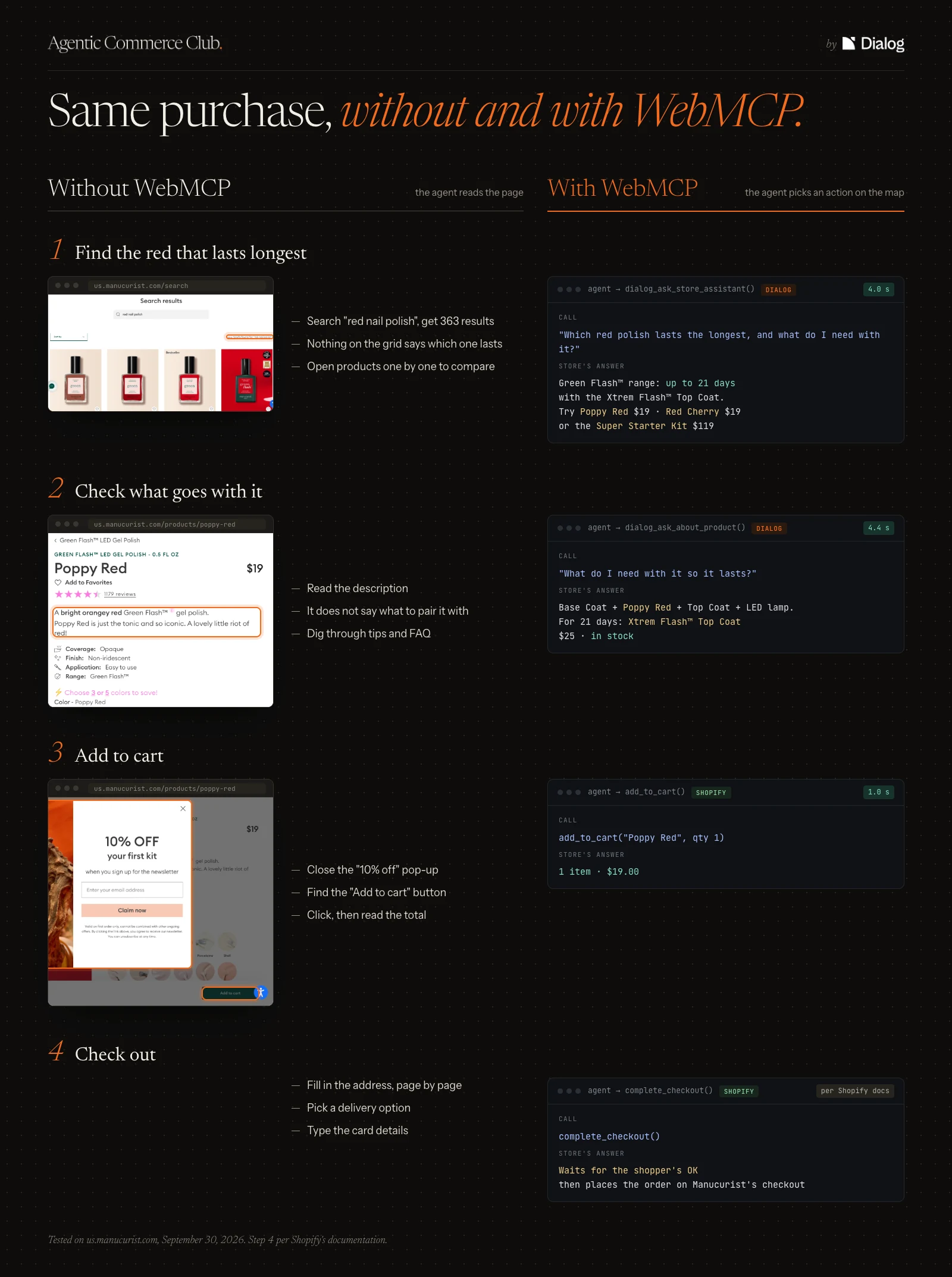
- Finding the longest-lasting red: without the map, 363 results and nothing that says which one lasts. With the map, the agent puts the question to Dialog's advice action and gets a sales associate's answer in 4 seconds: the Green Flash™ range, up to 21 days, with Poppy Red at $19.
- Knowing what to buy with it: without the map, the product page does not say. With the map, Dialog's advice answers: a base coat, the top coat, an LED lamp, and the Top Coat Xtrem Flash™ at $25 to last 21 days.
- Adding to cart: this time the agent goes through the Shopify action. One call, 1 second, “1 item, $19”.
- Paying: the agent cannot pay on its own. It waits for the customer's approval, then the order goes through the brand's usual checkout. The customer relationship stays with Manucurist.
💬 The same advice for customers and for agents
The advice actions on Manucurist's map come from Dialog, the assistant that already answers its customers on the site. So an agent gets the same recommendations as a customer, and the brand stays in control of what gets recommended. Discover Dialog →
Tip of the week
Ask your team to open your site's map and read it through.
Why: if you are on Shopify, it has been live since 5 August without anyone reviewing it, and it is what agents will read.
Did you enjoy this article? Reply to the newsletter to tell us what you thought, what was missing, or which site you would like to see put under the microscope next time. We read every reply.
Gautier
CMO @ Agentic Commerce Club